

Contract request and intake is the front door to the contract lifecycle: the request form, the rules that sort each request, and the routing that puts it with the right person. Every contract starts as a request, and too often that request is an email to legal that says little more than “we need an NDA.” When intake works, the request arrives with the contract type, the other party, whose paper it is, the value, and the deadline, and it goes straight to the person or self-service path that should handle it. When it does not, contracts sit in inboxes while someone chases the basics.
Our legal intake process guide covers the front door for all legal work. This guide covers what is specific to contracts: the request form, triage, routing, self-service, and how the details captured at intake carry through the seven stages of the contract lifecycle to signature and renewal.
What is contract request and intake?
Contract request and intake is how a business user asks for a contract and how the contracts team captures, classifies, and assigns that request. A good intake step turns an email or chat message into a structured request record that already knows the contract type, counterparty, paper, value band, and deadline, so the right person starts with the right template or review path on day one.
Contract intake is the contract branch of legal intake. Its request record is the first version of the contract record: the fields entered here become the metadata the contract carries to renewal.
Requests rarely start in the legal department. Sales teams raise customer agreements from the CRM, and procurement teams raise supplier agreements from sourcing and purchasing systems, which is why it helps to settle where a contract request originates before designing the form.
What does a contract request form capture?
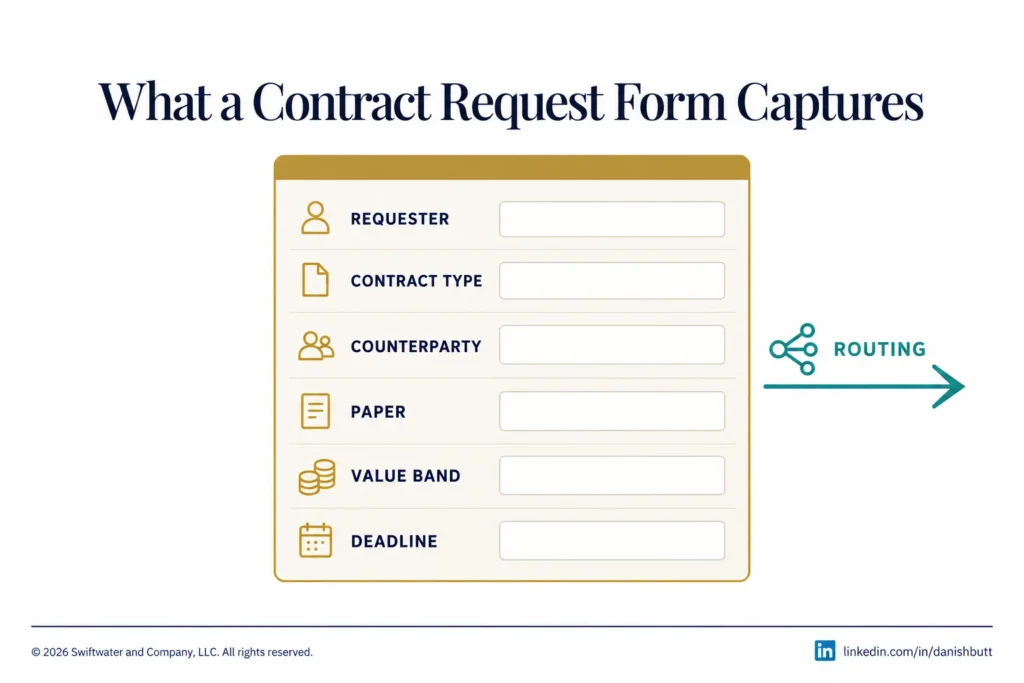
A contract request form captures only what decides the contract’s path and pre-fills its record: the requester and business unit, contract type, counterparty, whose paper it is, value band, term and renewal intent, business deadline, any related master agreement, risk flags such as personal data, and the attachments. Every extra field lowers completion and sends requesters back to email.
Each field earns its place by what it drives later:
Evaluating or implementing a CLM platform?
We have guided legal departments through selection, implementation, and adoption, without the vendor bias. Let us talk about where you are and what you actually need.
See CLM Services- Requester and business unit: sets the contract owner and the business approver, pre-filled from the directory where possible.
- Contract type: chooses the template, the triage path, and the follow-up questions.
- Counterparty: links the request to existing agreements with the same party.
- Paper (own or counterparty): decides between template assembly and a full review of the other side’s draft.
- Value band: sets the row of the approval matrix that applies later.
- Term and renewal intent: seeds the renewal date and the notice deadline in the record.
- Deadline: the business date the contract is needed by, with the reason, so the queue can be ordered.
- Related master agreement: routes an order form or statement of work under terms already agreed.
- Risk flags: personal data, regulated activity, or unusual liability, each of which moves the request to a more senior path.
- Attachments: the counterparty draft, quote, or proposal the reviewer needs.
The paper field matters more than it looks. Ironclad’s 2025 Contracting Benchmark Report, drawn from its customers’ contracting data, finds that 60% of contracts are on counterparty paper, and a counterparty draft needs a different path from a contract built on an approved template.
How do you triage contract requests?
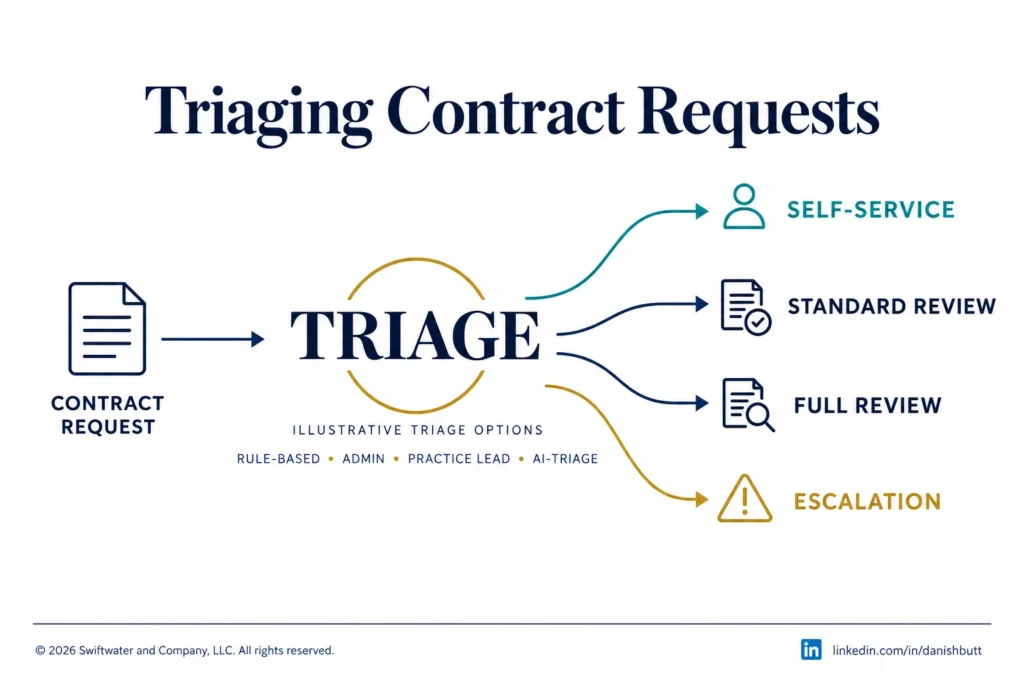
You triage contract requests by sorting each one into a path by contract type, paper, and value or risk. There are four paths: self-service from an approved template, standard review by a contract manager, full legal review for counterparty paper or non-standard terms, and escalation for high value or flagged risk. The matrix is written once and applied the same way whoever is on duty.
| Request signal | Path | Who handles it |
|---|---|---|
| Standard NDA on own paper | Self-service from an approved template | The requester |
| Own paper, within the playbook | Standard review | Contract manager or legal operations |
| Counterparty paper | Full review | Legal |
| High value band or risk flag | Escalation | Senior counsel, with finance |
| Renewal or amendment of an existing contract | Amendment path | Contract owner and contract manager |
The matrix uses signals the form already captured. The general triage model for all legal work, with its four outcomes, sits in the legal intake process guide; the contract paths above are the contract-specific version of it. Review where requests actually went against the matrix each quarter and move thresholds as volumes change.
How does routing decide who handles a request?
Intake routing assigns each request to a person or queue using the triage path plus business unit, region, and workload, with a named backup for absences. It answers one question: who picks this up first. Once a draft exists, the approval routing in the contract workflow takes over and reads the approval matrix and delegation of authority to decide who signs off.
Every path needs a named owner and backup, queues balanced by workload, and a requester who can see who has the request.
Everything after the first draft, including approval chains, parallel reviews, and escalation inside the workflow, belongs to approval routing.
What should be self-service?
Contracts with approved templates, standard terms, and low risk should be self-service, starting with NDAs on the organization’s own paper and then other high-volume, low-value agreements. The requester answers guided questions, the system generates the document from the template, and anything outside the guardrails drops back into triage for a contract manager or lawyer to handle.
Self-service depends on approved templates that legal keeps current; any edit to the terms sends the request to review. NDA automation is the usual first step, because volume is high and the terms rarely move.
Our professionals have delivered this for a global retail conglomerate, replacing a shared mailbox with an intake and triage front door and self-service NDAs, as described in the legal intake process guide.
The direction of travel is clear. Gartner predicts that by 2029, approximately 50% of contract reviews will be delegated to self-service systems that escalate only one in 10 for human review (Gartner, May 2026).
How does intake connect to the rest of the lifecycle?
Each field captured at intake is reused downstream: contract type and paper choose the template in authoring, value band sets the approval matrix row, counterparty and dates pre-fill the repository record, and term and renewal intent seed the renewal alert. Data captured once at intake saves re-keying at every later stage, and it keeps the record consistent from request to renewal.
What each of the seven stages takes from intake:
- Request and intake: creates the record that every later stage reads.
- Authoring and drafting: uses contract type and paper to pick the template or start a review of the counterparty draft.
- Negotiation and redlining: starts from the risk flags and related agreements the requester supplied.
- Review and approval: reads the value band and business unit to find the right row in the approval routing matrix.
- Execution, signature, and storage: carries counterparty, dates, and owner into the contract repository record.
- Obligations and performance monitoring: uses the owner named at intake as the first contact for commitments after signature.
- Renewal, renegotiation, or termination: uses term and renewal intent to set the renewal alert and notice deadline.
Contract data spreads fast. WorldCC (formerly IACCM) reports that, on average, contract-related data is scattered across 24 different systems (WorldCC, August 2025). A request captured once, in a structured form, is the first step toward one record.
Evaluating legal technology but not sure where to start?
We help legal departments cut through the vendor noise, mapping technology to process maturity and building a roadmap that actually gets adopted.
See Legal Technology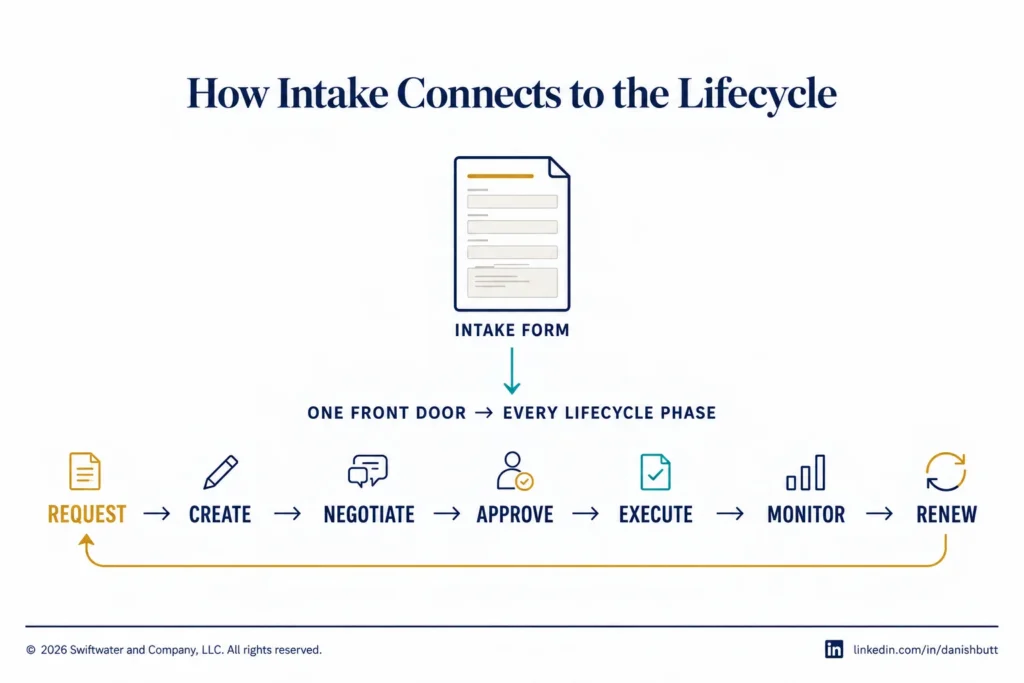
What does a good intake pilot look like?
A good intake pilot takes one or two contract types, one requesting team, and a baseline of current cycle time, then runs the new form and triage matrix for a fixed period and measures form completion, routing accuracy, and time to first response. When the numbers hold, the pilot extends to the next contract type and team.
The full method is in our guide on how to pilot contract intake. For the measures to report once intake is live, see the intake metrics in our legal department KPIs guide.
Bottom Line
Intake decides how fast a contract starts and how much of its data has to be typed again later. The request form and the triage matrix are short documents, and they set the pace for every stage that follows.
Start with one contract type: write the form, write the matrix, take a baseline, and run it with one team before extending it, using the intake pilot approach. Get the request right and every later stage of the lifecycle starts with the data it needs.
A Swiftwater CLM discovery sprint maps how contract requests reach your teams today, from intake through renewal, and recommends the contract workflow to pilot first, so the new front door is proven on real contracts before it rolls out.
Frequently Asked Questions
What is contract request and intake?
Contract request and intake is the front door to the contract lifecycle: the request form, the rules that sort each request, and the routing that puts it with the right person. It turns a request into a structured record that picks the contract’s path and pre-fills the data every later stage uses.
What should a contract request form ask?
A contract request form should ask only for the fields that choose the contract’s path and pre-fill its record: contract type, counterparty, whose paper it is, value band, deadline, any related master agreement, and risk flags. Requester details should come from the directory, and attachments should carry the counterparty draft.
How is contract intake different from legal intake?
Legal intake covers every request to the legal department, from questions to disputes. Contract intake is the branch for agreements, where the request record becomes the contract record in the CLM and carries its data into drafting, approval, and renewal. The legal intake process guide covers the wider front door.
Which contract requests can be self-service?
Low-risk agreements on approved templates can be self-service, starting with NDAs on the organization’s own paper. The requester answers guided questions, the document is generated from the template, and any request outside the guardrails, such as an edit to the terms, goes back to triage.
Can legal AI help with contract intake and business self-service?
Yes. AI can classify incoming requests, pre-fill form fields from attachments, and answer routine questions, while people decide the path for anything flagged as high value or high risk. Our guide to AI contract review covers where AI fits after intake.
How do you pilot contract intake?
Start with one or two contract types and one requesting team, take a baseline of current cycle time, and run the new form and triage matrix for a fixed period before extending it. Our guide on how to pilot contract intake sets out the full method.
How do you measure contract intake?
Measure form completion, time to first response, routing accuracy, and the share of requests resolved through self-service, by contract type and business unit. Review them on a set cadence. The legal department KPIs guide covers how these fit a wider dashboard.
This article is provided for general informational purposes only and is not legal, financial, or business advice. Contract intake and routing decisions should be validated against your organization’s specific structure, regulatory obligations, and counsel guidance, and you should consult a qualified professional for advice on your situation.