


A contract tracking spreadsheet records each agreement’s parties, value, key dates, and owner in one place. For a company with a few dozen contracts, it is often the first step out of shared drives and inboxes: one row per contract, the renewal and notice dates as columns, and a named owner for each. Set up well, it catches renewals before they roll over and becomes the source data for a CLM later.
This guide covers the fields a contract tracker needs, how to set it up, how to track renewals and obligations in Excel, when a spreadsheet stops working, and what comes next. Our free Excel template is below. It is part of our guide to the seven stages of the contract lifecycle and our contract lifecycle management guide.
What should a contract tracking spreadsheet contain?
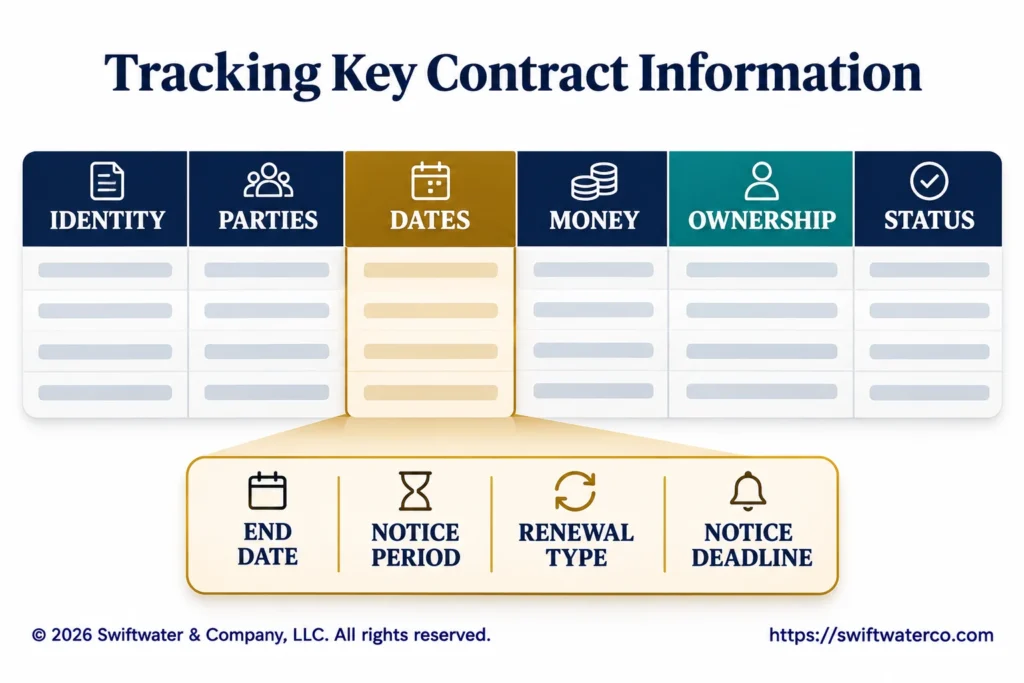
A contract tracking spreadsheet should contain one row per contract, with fields for identity, parties, dates, money, ownership, and status. The fields that matter most are the end date, the notice period, and the renewal type, because together they decide when someone has to act.
| Group | Fields | Why it matters |
|---|---|---|
| Identity | Contract ID, title, contract type, file link | Find the contract and its signed copy |
| Parties | Counterparty, signing entity, counterparty contact | Know who the agreement is with |
| Dates | Effective date, end date, renewal type, notice period, notice deadline | Act before a contract renews by default |
| Money | Total value, annual value, payment terms, currency | See what is committed and when it is paid |
| Ownership | Business owner, department, legal contact | Know who decides at renewal |
| Status | Status, last reviewed, notes | See what is live, expiring, or closed |
Keep the field list short enough that people keep it current. Our guide to the contract repository covers the full metadata model a CLM uses, which the spreadsheet can grow into.
How do you set up a contract tracking spreadsheet?
Set up a contract tracking spreadsheet as a single table with one row per contract, fixed lists for fields like contract type and status, dates formatted as dates, a formula for the notice deadline, and conditional formatting that highlights contracts nearing a deadline. Store it where access can be controlled.
- One table, one row per contract. Amendments get their own row, linked to the parent by contract ID.
- Drop-down lists. Contract type, renewal type, status, and department from a fixed list, so reports work.
- Real dates. Date fields formatted as dates, never typed as text.
- Formulas. Notice deadline and days to notice calculated, never typed.
- Highlighting. Rows turn amber and red as the notice deadline approaches.
- A link to the signed copy. Every row points to the executed contract.
- Access and ownership. One person owns the file; others edit only their rows.
How do you track renewals and notice dates in Excel?
Track renewals in Excel by calculating a notice deadline for each contract, the end date minus the notice period, and a days-to-notice column that counts down from today. Sort or filter by days to notice every week, and act on anything inside your review window.
- Notice deadline:
=IF(AND(F7<>"",H7<>""),F7-H7,""), where F is the end date and H is the notice period in days. - Days to notice:
=IF(I7="","",I7-TODAY()), where I is the notice deadline.
Row 7 is the first contract row in our template; copy the formulas down the column.
Evaluating or implementing a CLM platform?
We have guided legal departments through selection, implementation, and adoption, without the vendor bias. Let us talk about where you are and what you actually need.
See CLM Services- Highlighting: amber at 90 days, red at 30 days, or the windows your renewal process uses.
A spreadsheet does not send alerts by itself, so someone has to look. Put a weekly review in a named person’s calendar. Auto-renewing contracts need the most attention, because they renew without anyone signing anything. Our guide to contract renewal management covers alert design and the renewal decision.
How do you track obligations and compliance in a spreadsheet?
Track obligations in a separate tab keyed to the contract ID, with one row per obligation: what is owed, by whom, the due date or frequency, the owner, and evidence that it was met. That keeps the contract tab clean and lets you report on compliance across all contracts.
| Field | Example | Purpose |
|---|---|---|
| Contract ID and obligation | C-014, quarterly service report | Ties the obligation to its contract |
| Owed by and owner | Supplier; our operations lead | Who delivers and who checks |
| Due date and frequency | 15 January; quarterly | When it is due and how often |
| Status and evidence | Met; link to the report | Proof for audits and renewals |
A status column and a filter give a simple compliance report: what is due this month, what is overdue, and which counterparties miss most often. Our guide to contract obligation management covers the obligation register in full.
When does a spreadsheet stop working?
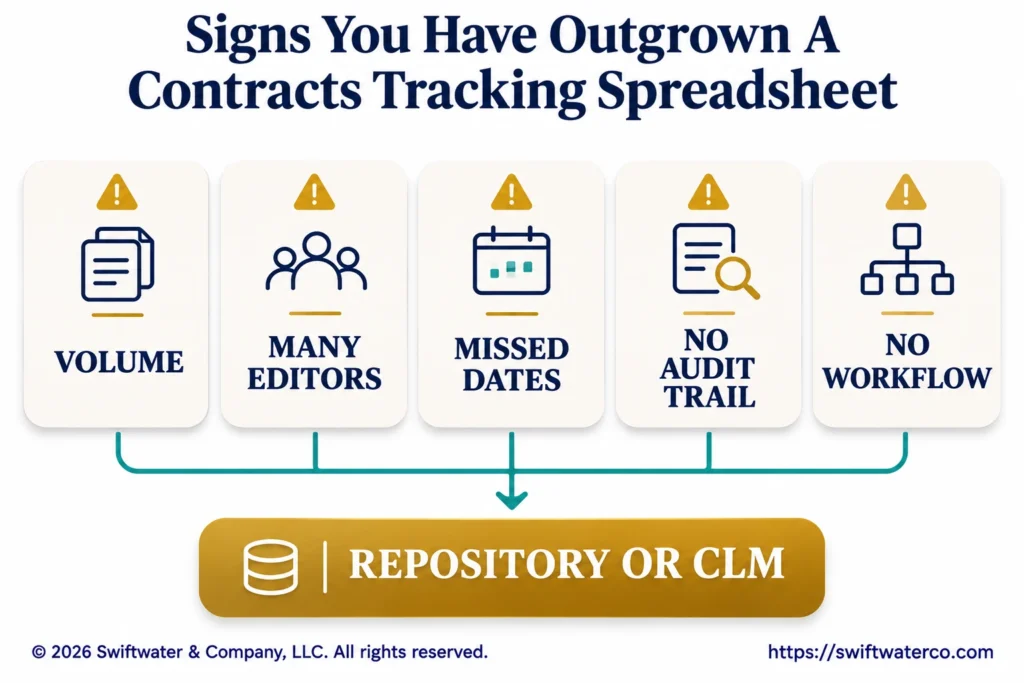
A spreadsheet stops working when the volume, the number of people editing it, or the cost of a missed date outgrows what one shared file can handle. The usual signs are renewals missed despite the tracker, several versions in circulation, and no record of who changed what.
- Volume. Hundreds of contracts, with new ones arriving every week.
- Many editors. Several departments updating the same file, or keeping their own copies.
- Missed dates. A renewal or notice date passes because no one looked.
- No audit trail. No record of who changed a date or a value, or when.
- No workflow. Requests, approvals, and signatures still happen in email.
The cost of loose tracking adds up. Research by WorldCC (formerly IACCM) finds the average business loses almost 9% of value annually through poor contract management; the best performers lose about 3% and the worst 15% or more.
What comes after the spreadsheet?
After the spreadsheet comes a contract repository or a contract lifecycle management (CLM) platform, or the contract module of a system the company already runs, such as an ERP or CRM. The spreadsheet then becomes the source data for the migration, which is why clean fields and consistent IDs pay off early.
- A contract repository stores the signed contracts and their data, with search and alerts.
- A CLM adds intake, templates, approval workflow, and signature to the repository.
- An ERP or CRM module can cover contracts tied closely to purchasing or sales.
Our guide to CLM vs ERP, CRM, and document management covers which system fits, our guide to contract lifecycle management tools groups the platforms by fit, and our guide to legacy contract migration covers moving the data across.
What is in the free contract tracking template?
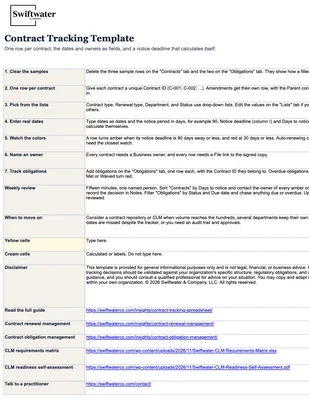
The free Swiftwater contract tracking template is an Excel workbook with four tabs: Contracts, Obligations, Lists, and How to use. It includes the fields above, drop-down lists, the notice-deadline and days-to-notice formulas, and highlighting as deadlines approach.
- Contracts: one row per contract, with identity, parties, dates, money, ownership, and status.
- Obligations: one row per obligation, keyed to the contract ID.
- Lists: the values behind the drop-downs, which you can edit.
- How to use: setup steps and a weekly review routine.
Download it from the card at the top of this page.
Bottom Line
A contract tracking spreadsheet is a sound first step for a company with a modest number of contracts: one row per contract, the dates and owners as fields, a calculated notice deadline, and a separate tab for obligations. Its weakness is that it depends on people looking at it, so a weekly review by a named owner is part of the setup.
Evaluating legal technology but not sure where to start?
We help legal departments cut through the vendor noise, mapping technology to process maturity and building a roadmap that actually gets adopted.
See Legal TechnologyWhen volume grows, several departments edit the same file, or dates are missed despite the tracker, it is time for a repository or CLM, and a clean spreadsheet makes that move faster. Start with one row per contract, the dates and owners as fields, and a notice-deadline column, and move to a CLM when volume, owners, or missed renewals outgrow it.
Our contract management solutions help teams move from spreadsheets to a contract repository or CLM, from field design and data clean-up to migration and go-live.
Frequently Asked Questions
What is a contract tracking spreadsheet?
A contract tracking spreadsheet records each agreement’s parties, value, key dates, and owner in one place. It typically has one row per contract and calculates the notice deadline for each, so the owner can act before a contract renews or expires.
What fields should a contract tracker include?
Include a contract ID, title, type, counterparty, signing entity, effective and end dates, renewal type, notice period, notice deadline, value, payment terms, business owner, status, and a link to the signed copy. Track obligations in a separate tab keyed to the contract ID.
Can Excel track contract renewal dates?
Yes. Calculate the notice deadline as the end date minus the notice period, add a days-to-notice column using TODAY(), and highlight rows as the deadline approaches. Excel does not send alerts by itself, so a named person needs to review the list every week.
How do you track contract compliance in a spreadsheet?
Keep a separate obligations tab with one row per obligation: the contract ID, what is owed, who owes it, the due date, the owner, the status, and a link to evidence. Filter by status and due date to report what is due, overdue, or missed.
When should you move from a spreadsheet to a CLM?
Move when volume grows into the hundreds, several departments edit the file or keep their own copies, renewals are missed despite the tracker, or you need an audit trail and approval workflow. A clean spreadsheet becomes the source data for the migration.
Is there a free contract tracking template?
Yes. The Swiftwater contract tracking template on this page is a free Excel workbook with Contracts, Obligations, Lists, and How to use tabs, drop-down lists, notice-deadline formulas, and highlighting as deadlines approach. Download it and replace the sample rows with your contracts.
This article and template are provided for general informational purposes only and are not legal, financial, or business advice. Contract tracking decisions should be validated against your organization’s specific structure, regulatory obligations, and counsel guidance, and you should consult a qualified professional for advice on your situation.