
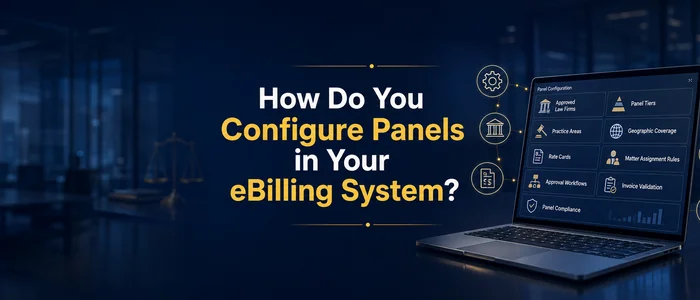

A well-configured eBilling system turns an outside counsel management panel program from a policy document into an operating discipline, enforcing rate limits, routing matters to approved firms, and surfacing the compliance data that keeps the program accountable.
Legal spend programs define their panels carefully. Fewer wire those definitions into the system so that the rules actually fire when an invoice arrives or a matter opens. The gap is almost always a configuration gap, and closing it is one of the highest-return moves a legal operations team can make.
The five layers that matter are firm status modeling, rate enforcement, timekeeper controls, matter routing, and compliance reporting. Each one is configurable in modern eBilling and enterprise legal management platforms, and each one compounds the value of the others.
Why does panel governance success depend on ebilling system configuration?
Panel policies work when the system enforces them at the point of transaction. A policy that says “use approved firms” is useful only if the intake form restricts assignment to firms carrying an approved status in the system, the rate card rejects invoices that exceed negotiated ceilings, and the reporting layer flags every dollar that bypasses those controls. Thomson Reuters found in its 2024 Legal Department Operations Index that 67% of legal departments report flat or decreasing attorney headcount while 79% face increasing matter volumes. That pressure makes manual panel governance unsustainable. Configuring ebilling is what lets a lean team govern a large program without reviewing every invoice line by hand.
The benefit is direct: properly configured systems catch rate violations, off-panel assignments, and unapproved timekeepers automatically, before spend accrues. The drawback is equally direct. Configuring ebilling systems takes time upfront, and poorly maintained configuration creates false confidence. A stale rate card that auto-approves last year’s rates at this year’s inflated numbers is worse than no automation at all, because nobody is looking. The discipline is building the rules and maintaining them.
How do you model law firm panel structure in the ebilling system?
Firm level fields need to be properly setup to match your law firm panel program. Typical, ebilling configurations focus on outside counsel guidelines and vendor setup on invoice submission portals. There is a huge opportunity lost when the panel design is not properly reflected in the system. At minimum, the system needs a status taxonomy that distinguishes approved panel firms from non-panel firms, with enough granularity to reflect how the organization actually uses outside counsel.
A common model uses five tiers: Preferred (high-volume strategic firms), Approved (panel firms in good standing), Specialty (approved for specific practice areas or jurisdictions), Probation (firms under review), and Inactive (former panel firms no longer receiving new work).
Is your legal spend data telling you the full story?
We help legal departments build the analytics, rate governance, and reporting infrastructure to move from invoice processing to strategic spend management.
See Legal Spend ServicesEach status should carry downstream consequences. Preferred firms appear first in matter assignment lookups. Approved firms can receive new matters and submit invoices. Specialty firms are available only for mapped practice areas. Probation firms can complete existing matters but cannot receive new assignments. Inactive firms are blocked from both. This is what separates a configured panel from a spreadsheet: the status field drives behavior across the platform, not just a label in a directory.
Beyond status, map each firm to practice areas, jurisdictions, and matter types. If a firm is approved for employment litigation in California but not for IP prosecution, the system should reflect that constraint. The same applies to rate tiers. A firm approved at one rate schedule for routine employment matters should not automatically qualify at the same rates for complex class actions.
As Lawcadia’s panel management framework emphasizes, defining selection criteria and establishing clear KPIs around fees, responsiveness, and work quality at the outset gives the system something concrete to enforce. The configuration translates those outside counsel KPIs into fields that are searchable, sortable, and reportable.
How do you enforce rates and timekeepers at submission?
Configuring your ebilling system to track and enforce approved timekeepers and their rates can demonstrate immediate financial return. The core mechanism is the rate card: a matrix that maps each firm’s approved rates by timekeeper classification, practice area, and effective date range. When an invoice arrives, the system checks each line item against the applicable rate card. If the billed rate exceeds the approved ceiling, the system either rejects the line, flags it for review, or adjusts it to the approved rate, depending on how the organization configures the enforcement level.
The strongest configurations tie rate cards to timekeeper classifications rather than to individual names. UTBMS timekeeper codes (Partner, Senior Associate, Associate, Paralegal, and their sub-classifications) provide a standardized framework that survives personnel changes. When a firm substitutes a timekeeper, the system validates the new person’s classification and rate against the card. This avoids the common failure where a rate card references 200 individual timekeepers and becomes unmanageable within a year.
Timekeeper approval workflows add a second layer. Before a timekeeper can bill on a matter, the system can require approval based on classification, rate, and firm status. This prevents a firm from staffing a routine contract review with a senior partner billing at litigation rates. The approval can be automatic (the timekeeper’s classification and rate fall within pre-set parameters) or manual (a legal ops analyst reviews the request). Most mature programs use automatic approval for standard scenarios and manual review for exceptions.
The drawback to aggressive rate enforcement is friction. If the rejection rules are too rigid, firms spend time resubmitting invoices and legal ops teams spend time processing appeals. The calibration point is to enforce hard ceilings on rate and classification while allowing some flexibility on staffing mix within the approved rate band. The ACC recommends in its outside counsel guideline practices that organizations build standardized scorecards covering budget adherence and billing guideline compliance alongside quality and responsiveness, giving both sides a shared language for rate conversations.
How do you route matters to panel firms?
The goal is to ensure that when a business unit or in-house attorney needs outside counsel, the matter management or ebilling system presents approved firms first and routes any off-panel selection for further approval.
The configuration typically lives in the matter intake form. When a new matter is created, the system filters available firms by status (approved or preferred), practice area, jurisdiction, and any other criteria mapped in the firm profile. The requesting attorney sees a shortlist of qualified panel firms rather than a blank text field. If they want to use a firm outside the panel, the system requires them to enter a reason, routes the request through an approval workflow, and logs the exception.
This is where outside counsel management moves from a policy to an operating process. Routing rules can also incorporate workload balancing (distributing matters across panel firms to avoid over-concentration), rate considerations (surfacing lower-cost firms for routine work), and diversity commitments (flagging firms that meet the organization’s diversity criteria).
Integration matters here. If the eBilling system connects to a matter management or legal service request platform, the routing rules fire at the moment a matter opens, before any engagement letter is signed or any work begins. If the systems are siloed, routing depends on manual compliance, and off-panel spend leakage is the predictable result.
The drawback to rigid routing is that it can slow urgent engagements. The best configurations balance governance with speed by auto-approving assignments to preferred firms in the relevant practice area while requiring approval workflows only for off-panel or specialty requests.
What reports make the law firm panel governable?
To support law firm panel governance, the ebilling system configuration must include four categories of reports – leakage, compliance, concentration, and rate trends.
Want the review function run for you?
Every outside counsel invoice checked against your guidelines, rates, and matter context, inside the eBilling platform you already own, with the exception handling, vendor coaching, and savings reporting that separate a review program from invoice processing.
See Bill Review ServicesLeakage reports measure what percentage of outside counsel spend goes to non-panel firms. This is the single most important panel metric. Leakage reporting should break down by business unit, practice area, and reason code (emergency, specialty not on panel, requestor preference) so the team can address the root causes.
Compliance reports track adherence to billing guidelines, rate cards, and timekeeper rules. They answer questions like: what percentage of invoices pass rate validation on first submission? How many timekeeper approval requests are overridden? Which firms have the highest rejection rates? These metrics surface both firm performance issues and configuration gaps. A firm with a high rejection rate may be ignoring the guidelines, or the rate card may be misconfigured.
Concentration reports show how spend distributes across the panel. Over-concentration in a few firms creates dependency risk and weakens negotiating leverage. Under-utilization of panel firms undermines the value of the convergence effort. The target is an intentional distribution that matches the organization’s risk profile and practice needs.
Rate trend reports track how approved rates evolve over time by firm, classification, and practice area. These are essential for annual rate negotiations. They show whether firms are staying within agreed escalation limits and how the organization’s rates compare to benchmarks. Tools like legaltechcalculator.com can help legal operations teams frame the ROI of tighter rate governance when justifying the investment in configuration and tooling to finance and business stakeholders.
If you are evaluating legal spend software, prioritize platforms that deliver these four report types natively rather than requiring custom report builds. Custom reports break when the platform upgrades, and the team that built them eventually moves on.
What tools improve panel management beyond eBilling?
Core eBilling platforms handle invoice validation, rate enforcement, and spend reporting. But panel management as a discipline extends beyond invoice processing into sourcing, benchmarking, and ongoing performance evaluation. Several categories of tools address these adjacent needs.
Rate benchmarking and RFP platforms help legal departments set competitive rates and run structured firm selection processes. PERSUIT, for example, provides competitive RFP management backed by benchmarking data drawn from negotiated transactions, giving legal teams visibility into what rates are actually being agreed to across practice areas and firm tiers, not just what firms propose. JusticeBid approaches rate negotiation with AI-driven analysis, and as a value add helps track diversity and other key metrics, helping teams assess firm rates against performance and value across multiple firms simultaneously.
ELM platforms with built-in panel modules offer tighter integration between panel governance and the broader legal operations workflow. Onit’s CounselMatch directory, integrated into its Unity platform, lets legal teams search, vet, and manage outside counsel within the same environment where they track matters and spend. Mitratech’s TeamConnect and AdvancedLaw platforms provide panel management capabilities embedded within their ELM suite, connecting firm status, rate governance, and matter management in a single system. Wolters Kluwer’s ELM Solutions (TyMetrix 360), CounselLink from LexisNexis, and Brightflag each offer their own approach to firm management and panel tracking.
The key question is not which individual tool is best but whether the organization’s toolset covers all five configuration layers: firm status, rate enforcement, timekeeper controls, matter routing, and compliance reporting. Some platforms handle all five natively. Others require integration between a core eBilling system and a specialized rate benchmarking or RFP tool. Swiftwater’s professionals have spent over 25 years implementing eBilling platforms and configuring panel programs across every major system. The consistent finding is that the best outcomes come from selecting tools that match the organization’s maturity and then configuring them thoroughly, rather than buying the most feature-rich platform and leaving half of it unconfigured.
Swiftwater is vendor-agnostic and implements any of these legal technology solutions based on what fits the client’s environment, existing integrations, and governance goals.
Bottom Line
A panel program strength lies within the ebilling system (and supporting tools) configuration. The five layers, firm status modeling, rate enforcement, timekeeper controls, matter routing, and compliance reporting, are all configurable in today’s eBilling and ELM platforms, and each one reinforces the others.
The organizations that get the most value from their panels are the ones that treat configuration as an ongoing operational discipline.
Struggling to control outside counsel spend?
We help legal departments build the governance, billing guidelines, panel structure, and rate programs that take back control of what outside counsel costs.
See Legal Spend ServicesConfigure the rules into the ebilling system, maintain them with the same rigor you apply to the panel itself, and the system becomes the enforcement mechanism for your panel program.
This is the work Swiftwater does with legal spend programs. We configure eBilling and ELM platforms, build the firm status models, setup rate enforcement rules, design matter routing, and stand up the reporting that makes panels governable. If your panel program lives in a policy document but not yet in your system, a conversation with Swiftwater is the fastest way to close that gap.
Frequently Asked Questions
Which eBilling systems handle law firm panel management best?
The most capable eBilling systems for panel management share several features: configurable firm status fields with tiered classifications, automated rate card enforcement at invoice submission, timekeeper approval workflows tied to UTBMS classifications, matter intake routing that restricts assignment to approved firms, and compliance dashboards that surface leakage and concentration. Look for platforms that let you define these rules without custom development and that integrate rate benchmarking data for annual negotiations.
Can you enforce legal service provider panels without an ELM system?
Partially. A standalone eBilling tool can enforce rate cards and reject invoices from unapproved firms. However, without the broader ELM layer, you lose matter intake routing, timekeeper lifecycle management, and consolidated reporting across the full outside counsel relationship. Most organizations that start with eBilling-only enforcement move to a full ELM platform once the volume of exceptions and manual workarounds outpaces the team’s capacity.
How do rate cards handle mid-year timekeeper changes?
The strongest configurations tie rate cards to timekeeper classification and seniority rather than to individual names. When a firm substitutes a timekeeper mid-year, the system checks whether the new person’s classification and rate fall within the approved card for that firm and matter type. If they do, the invoice processes normally. If the rate exceeds the approved ceiling, the system flags it for review or rejects the line item automatically.
What breaks most often in ebilling law firm panel configuration?
The most common failure points are stale firm status records that were never updated after a panel review, rate cards that reference individual timekeepers instead of classifications, matter intake forms that allow manual override without logging the exception, and reports that measure spend volume but not compliance or leakage. Regular configuration audits, ideally quarterly, catch these issues before they erode the program.
This article is provided for informational purposes and reflects general practices in eBilling configuration and panel management. It does not constitute legal, financial, or technology implementation advice. Organizations should evaluate their specific systems, contracts, and governance requirements before making configuration changes.