
Updated October 2026 to reflect Onit product changes
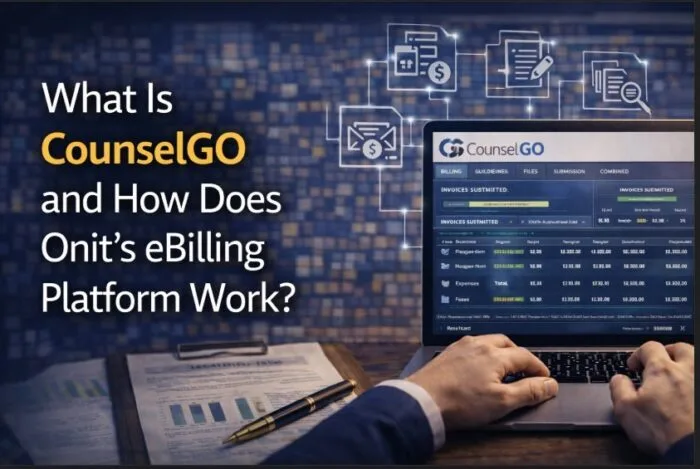
CounselGO was Onit’s outside counsel billing intake portal for SimpleLegal users, and is now part of Onit’s Counsel Exchange. It worked in conjunction with the Onit eBilling application to manage invoice submission, validation, billing guideline enforcement, and spend analytics, together replacing manual invoice review with a system that enforces compliance at the point of submission rather than after payment. CounselGO is one part of the wider Onit product family.
At a practical level, CounselGO enables:
- Automated invoice validation: enforcing billing guidelines at submission
- Legal spend control: tracking budgets and outside counsel costs in real time
- Standardized billing formats: using LEDES and UTBMS codes
- Spend analytics: reporting on firms, matters, and timekeepers
What is Counsel Exchange, and what happened to CounselGO?
In 2026, Onit brought CounselGO and BillingPoint together in Counsel Exchange, which it calls “the next evolution of Onit’s ebilling services” (Onit’s Counsel Exchange kit). Counsel Exchange is now the single portal for invoice submission, reporting and vendor activity for OnitX, SimpleLegal and Unity customers.
Onit contacted law firms on its customers’ behalf, CounselGO and BillingPoint access ended in September 2026, and Onit supports the firms in Counsel Exchange. Core workflows such as invoice submission carry over, and the in-house team’s eBilling setup did not change.
Most of this guide explains how CounselGO worked, which still describes how invoice intake and billing guideline enforcement work on Onit. If you are a SimpleLegal customer, see what changes when SimpleLegal moves to Onit Unity.
What does CounselGO actually do?
CounselGO is the intake portal through which outside law firms submit invoices and timekeeper data to SimpleLegal users. The Onit eBilling application then manages review, validation, guideline enforcement, and approval on the in-house team’s side.
Running an ELM or eBilling implementation?
Swiftwater has three Level 4 Onit-certified practitioners. If you are evaluating, implementing, or rescuing an ELM program, let us talk about what that actually takes.
See ELM ServicesTogether the two layers cover:
- Electronic invoice submission: law firms submit invoices using LEDES format through the CounselGO portal
- Billing guideline enforcement: invoices are checked automatically against billing rules and policies before reaching the review queue
- Rate validation: ensuring timekeeper rates match agreed rate cards
- Budget tracking: monitoring cumulative spend against approved matter budgets
- Invoice approval workflows: structured review and approval for the in-house team
- Spend analytics: reporting across firms, matters, and practice areas
Without eBilling, legal departments rely on inconsistent manual review, which leads to missed errors and uncontrolled spend.
According to the Association of Corporate Counsel, managing outside counsel spend is one of the biggest operational challenges for legal departments.
For broader context, see enterprise legal management and how ELM platforms bring billing, matters, and analytics together.
Who uses CounselGO?
CounselGO is primarily used day-to-day by law firms and their billing administrators, not by the in-house legal team. The in-house team works within the Onit eBilling application. CounselGO is the law firm’s side of the relationship.
On the firm side, billing administrators use CounselGO to set up client-specific billing guidelines and timekeeper profiles, load and manage approved timekeeper rates, prepare and submit monthly invoices to the client, and monitor payment status once invoices have been submitted.
All sizes of law firms can use CounselGO. Small firms or individual attorneys who do not have a billing system capable of generating LEDES files can log directly into CounselGO and enter fee and expense invoices manually. Some small firms may be able to use CounselGO at no cost. Ask your client or an Onit representative about eligibility.
Medium to large firms and legal vendors that do have billing systems can generate invoices from their platform of choice and submit them through CounselGO. Common billing systems used for LEDES file generation include Elite, Clio, Practice Panther, and similar platforms.
How does CounselGO connect to Onit ELM, and what is BillingPoint?
CounselGO and BillingPoint are sister products that serve the same intake function but connect to different Onit platforms.
CounselGO is the intake portal for SimpleLegal users. Law firms submit invoices and timekeeper data through CounselGO, and that data flows into the Onit eBilling application where the in-house SimpleLegal team manages review and approval.
BillingPoint is the intake portal for OnitX users. It performs similar core functions to CounselGO but also includes additional capabilities suited to more complex enterprise environments. These include collaboration tools for developing and managing Outside Counsel Guidelines between the legal department and its firms, as well as budget and accrual submission, which allows law firms to submit budget forecasts and accruals alongside invoices so the in-house team can manage financial visibility across open matters.
Invoices submitted through either portal are linked to specific matters, spend is tracked against approved matter budgets, and billing data flows into legal analytics and reporting. Outside counsel performance can then be evaluated using real invoice data rather than estimates or manual summaries.
This matter-level integration is what separates eBilling as a financial control from eBilling as an operational tool. Without it, invoice review remains a finance function. With it, legal operations gains a live view of what outside counsel relationships are actually costing.
Want the review function run for you?
Every outside counsel invoice checked against your guidelines, rates, and matter context, inside the eBilling platform you already own, with the exception handling, vendor coaching, and savings reporting that separate a review program from invoice processing.
See Bill Review ServicesAccording to Onit’s CounselGO overview, the platform is designed to centralize vendor billing and improve transparency across legal spend.
What billing formats does CounselGO support?
CounselGO is built around LEDES (Legal Electronic Data Exchange Standard), the industry-standard format for electronic invoice submission between law firms and corporate legal departments.
LEDES invoices contain structured data fields including task codes (UTBMS/ABA), timekeeper rates, activity descriptions, and expense categorization. That structure is what makes automation possible. Without it, invoices arrive as unstructured documents that cannot be validated systematically, which means billing rules cannot be enforced at scale.
According to Wolters Kluwer LegalVIEW, structured billing data significantly improves accuracy and financial control in legal departments.
How does CounselGO enforce outside counsel billing guidelines?
Billing guidelines define how law firms are allowed to bill a legal department. CounselGO enforces these rules automatically at the point of invoice submission, before invoices reach the in-house review queue.
Enforcement covers rejecting invoices with incorrect billing codes, flagging unauthorized timekeepers or rates, blocking duplicate or excessive billing entries, and applying staffing and expense restrictions. The key shift is that non-compliant invoices are prevented from entering the system rather than caught during manual review after the fact.
According to the ACC Chief Legal Officers Survey, cost control remains a top priority for legal departments. Without enforcement infrastructure, billing guidelines exist on paper but are rarely applied consistently at scale.
What does a CounselGO implementation involve?
A CounselGO implementation is not just a system setup. It is a governance program.
A successful implementation includes:
- Billing guideline configuration: defining the rules that govern invoice validation
- Rate card setup: mapping approved rates to timekeepers and firms
- LEDES validation setup: ensuring invoices follow structured formats at submission
- Vendor onboarding: bringing outside law firms onto the eBilling system
- Integration with ELM: linking billing data to matters, budgets, and reporting
- User training and adoption: ensuring legal teams and vendors use the system correctly
- Change management: preparing the legal department and outside counsel for new submission requirements and driving consistent adoption from day one
Implementation quality determines results. In one transformation program, eBilling implementation contributed to $60M in legal spend savings through improved compliance and visibility.
For a deeper look at the Onit eBilling implementation process, see Onit eBilling implementation. For the full picture of legal eBilling, see the legal eBilling guide.
Bottom Line
CounselGO is not just an invoicing tool. It is the intake and enforcement layer that makes outside counsel spend controllable.
It ensures that invoices enter the system in a structured format, are validated against billing rules before reaching the review queue, and feed data into the analytics that legal operations needs to manage vendors and report to the business.
The difference between a legal department that controls its outside counsel spend and one that estimates it is almost always enforcement infrastructure, and CounselGO is where that infrastructure starts.
If you are planning to implement CounselGO or improve eBilling governance, explore how Swiftwater’s legal technology implementation services deliver eBilling programs at scale.
Is your legal spend data telling you the full story?
We help legal departments build the analytics, rate governance, and reporting infrastructure to move from invoice processing to strategic spend management.
See Legal Spend ServicesFrequently Asked Questions
What is Counsel Exchange?
Counsel Exchange is Onit’s law firm portal for invoice submission, reporting and vendor activity. In 2026 it brought CounselGO and BillingPoint together, and it serves OnitX, SimpleLegal and Unity customers. CounselGO and BillingPoint access ended in September 2026, and Onit supports the law firms in Counsel Exchange.
What is CounselGO?
CounselGO was Onit’s outside counsel billing intake portal for SimpleLegal users, and is now part of Counsel Exchange. It worked with the Onit eBilling application to support invoice submission, validation, billing guideline enforcement, rate checks, and legal spend reporting. CounselGO was the law firm side of the process, while the in-house legal team reviews and manages invoices inside the Onit eBilling application.
What does CounselGO actually do?
CounselGO allows outside law firms to submit invoices and timekeeper data to SimpleLegal users in a structured format. It supports LEDES invoice submission, billing guideline checks, rate validation against approved rate cards, budget tracking against approved matter budgets, invoice routing, and spend analytics across firms, matters, and practice areas.
Who uses CounselGO?
CounselGO is primarily used by outside law firms and their billing administrators. Firm billing teams use it to manage client-specific billing requirements, timekeeper profiles, approved rates, invoice preparation, invoice submission, and payment status. Small firms may enter invoices directly in CounselGO, while medium and large firms usually generate LEDES invoices from their own billing systems and submit them through the portal.
What is the difference between CounselGO and BillingPoint?
CounselGO and BillingPoint serve a similar outside counsel invoice intake function within the Onit ecosystem, but they connect to different platforms. CounselGO is the intake portal for SimpleLegal users. BillingPoint is the intake portal for OnitX users and is designed for more complex enterprise environments, including additional capabilities around outside counsel guidelines, budgets, accruals, and enterprise billing workflows. In 2026 Onit combined both in Counsel Exchange, and CounselGO and BillingPoint access ended in September 2026.
What billing formats does CounselGO support?
CounselGO is built around LEDES, the Legal Electronic Data Exchange Standard. LEDES invoices use structured billing data, including timekeeper details, task codes, activity descriptions, rates, expenses, and matter information. This structure helps the eBilling process validate invoice entries against billing guidelines, approved rates, and required billing formats.
How does CounselGO enforce outside counsel billing guidelines?
CounselGO supports billing guideline enforcement at the point of invoice submission. Invoices can be checked for correct billing codes, approved rates, authorized timekeepers, duplicate entries, expense rules, staffing requirements, and required invoice fields before they reach the in-house review queue. This helps the legal department apply billing rules earlier in the process.
What does a CounselGO implementation involve?
A CounselGO implementation involves more than portal setup. It typically includes billing guideline configuration, rate card setup, LEDES validation rules, vendor onboarding, matter and billing data alignment, integration with the eBilling workflow, user training, and change management for both the legal department and outside counsel. The value comes from configuring CounselGO as part of a broader eBilling governance process.
Disclaimer: This article is provided for educational and informational purposes only. Neither Swiftwater and Company nor the author provides legal advice. This content does not constitute professional legal, financial, or operational advice and should not be relied upon as such. Readers are encouraged to consult a qualified professional before making decisions based on the information provided. External links are included for reference only and reflect the views of their respective authors. Swiftwater and Company takes no responsibility for third-party content.