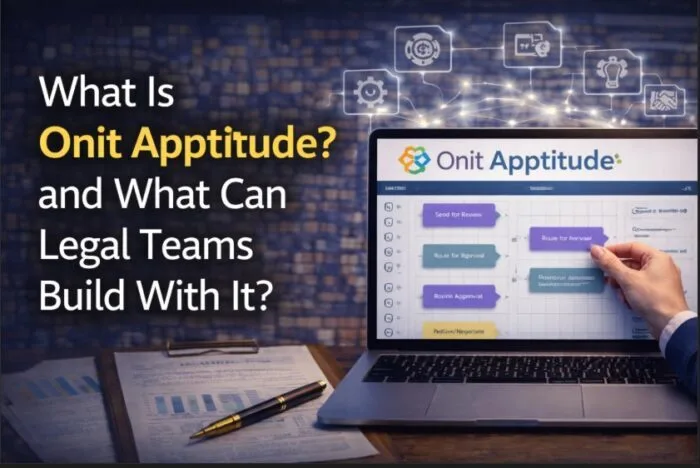

Onit Apptitude is Onit’s low-code workflow automation platform that allows in-house legal teams to design, build, and manage legal processes without heavy development. It extends the Onit ELM platform by enabling legal operations teams to automate workflows across intake, approvals, matter management, and integrations, transforming legal technology from a system that tracks work into one that actively manages how that work flows. For the full Onit product lineup, see our guide to Onit.
At a practical level, Onit Apptitude enables:
- Workflow automation: replacing manual processes with structured, auditable workflows
- Low-code configuration: building workflows with speed and iteration rather than waiting months for development cycles
- Process standardization: ensuring consistent handling of legal requests across the organization
- Integration orchestration: connecting legal processes across enterprise systems
What is Onit Apptitude and how does it fit into the Onit ecosystem?
Onit Apptitude is the workflow automation layer within the Onit ecosystem. It works alongside core ELM functionality including matter management, eBilling, legal service requests, and contract lifecycle management, sitting above those modules to control how work moves through the organization once it enters the system.
The distinction matters. An ELM platform without workflow automation captures data. A platform with Apptitude actively manages how work is created, routed, and completed. Configuration defines what the system holds. Apptitude defines what it does.
For broader context, see enterprise legal management and how integrated platforms support legal department operations.
What can in-house legal teams build with Onit Apptitude?
Onit Apptitude allows in-house legal teams to build workflows tailored to their operating model. Common use cases include:
- Legal intake workflows: capturing and routing legal requests from business stakeholders to the right team
- Approval workflows: managing contract approvals, spend approvals, and escalations with defined decision paths
- Matter workflows: triggering actions based on matter status, risk thresholds, or deadlines
- Outside counsel onboarding workflows: structuring how firms are approved, rate cards loaded, and billing rules applied
- Contract workflows: automating contract review routing and approval processes
Without workflow automation, legal processes rely on email chains, manual tracking, and inconsistent handling. Apptitude replaces that with structured, repeatable processes the team can govern and audit.
Running an ELM or eBilling implementation?
Swiftwater has three Level 4 Onit-certified practitioners. If you are evaluating, implementing, or rescuing an ELM program, let us talk about what that actually takes.
See ELM ServicesThe breadth of what is buildable is significant. Danish Butt’s analysis of 40 legal AI workflow use cases on LinkedIn illustrates how far the automation opportunity extends across a modern legal department, from intake and contract review to investigations and compliance workflows.
According to the Association of Corporate Counsel, legal departments are increasingly focused on improving efficiency without increasing headcount. Workflow automation is one of the most direct levers available to legal operations leaders pursuing that goal. Outside legal, the evidence is equally clear: analysis of enterprise automation deployments shows workflow automation reduces repetitive tasks by 60 to 95% and delivers time savings of up to 77% on routine activities. The opportunity in legal is at least as large, and largely untapped.
How does Onit Apptitude differ from standard Onit ELM configuration?
Standard ELM configuration defines structure: data fields, rules, matter types, and reporting. Apptitude defines behavior: how work moves, who approves it, what triggers next steps, and what happens when conditions change.
This is not a subtle distinction. Configuration builds the environment. Apptitude runs processes inside it. A legal team can have a well-configured ELM system and still rely entirely on email and manual follow-up to move work through the organization. Apptitude is what removes that dependency by making routing, approvals, escalations, and alerts automatic rather than manual.
A PwC 2025 survey of 1,000 US business leaders found that 79% of organizations have now implemented AI agents at some level, reflecting how quickly workflow automation has moved from pilot to mainstream across enterprise functions. Legal departments are following the same trajectory, and the low-code approach Apptitude takes means the barrier to getting started is lower than most teams assume.
According to Gartner’s guidance on low-code application platforms, low-code platforms enable faster process automation and reduce reliance on development teams, which is directly relevant to legal operations teams that want to build and iterate on workflows without waiting for IT resources.
What legal workflows are best suited to Onit Apptitude?
The workflows that deliver the most value from automation tend to be high volume, repetitive, rule-based, and involve multiple stakeholders. In a legal department context, that covers most of the work that currently moves through email: intake requests, contract approvals, matter escalations, outside counsel onboarding steps, and routine reporting triggers.
The starting point that consistently delivers fast value is legal service request intake. Getting legal requests off email and into a structured, routed workflow immediately improves visibility, reduces response time, and creates the data trail that matter management depends on. From there, contract approvals and outside counsel onboarding are typically the next highest-impact areas.
Swiftwater’s advisory team brings a perspective that is useful here. Danish Butt and Hassan El Asraoui have worked directly inside and alongside legal functions across industries for decades. Jeannine Puello brings deep experience from large enterprise environments, having led legal operations programs at scale across complex organizational structures. Gary Wheeler who is one of the leaders in Swiftwater’s AI practice works directly with clients on identifying where automation creates the most durable value versus where it creates complexity that legal teams end up working around. That combination of inside-legal experience and advisory depth shapes how Swiftwater approaches workflow design before any platform configuration begins.
According to McKinsey and Company, automation can significantly reduce manual workload and improve operational efficiency in process-driven functions. Legal operations is exactly that kind of function.
What does an Onit Apptitude implementation involve?
An Onit Apptitude implementation focuses on designing and deploying structured workflows against the legal department’s actual operating model. The technology is rarely the hard part.
A successful implementation includes:
- Workflow design: mapping the legal processes that will be automated before any configuration begins
- System configuration: building the workflows in Apptitude, connected to the relevant ELM data and permissions
- Integration setup: connecting Apptitude workflows to finance, HR, procurement, and other enterprise systems where needed
- User adoption: ensuring legal teams, business stakeholders, and outside counsel engage with the new processes consistently
- Change management: preparing the organization for new ways of submitting and routing legal work, not just training on the platform
- Reports and decision-support dashboards: embedding real-time reporting into the workflows so leadership can see where work is, how it is moving, and where action is needed at any given moment
- Ongoing optimization: refining workflows as legal operations evolve and new use cases emerge
The biggest challenge is process definition, not platform capability. Swiftwater’s advisory team approaches Apptitude implementations by mapping the operating model first and building second. Jonathan Gilman, Sam Lu, and Roger Jarman – Swiftwater’s Level 4 Onit Certified – workflow experts have collectively worked across enough legal departments to know that the workflows that get adopted are the ones designed around how legal actually operates, not how it is supposed to operate on paper.
Want the review function run for you?
Every outside counsel invoice checked against your guidelines, rates, and matter context, inside the eBilling platform you already own, with the exception handling, vendor coaching, and savings reporting that separate a review program from invoice processing.
See Bill Review ServicesOrganizations that invest in mapping their workflows before building them consistently achieve higher adoption and better outcomes than those that configure first and figure out the process later. Forrester and BCG research indicates that most enterprises see payback from workflow automation within 12 to 18 months, with ROI accelerating as implementations scale. The legal departments that reach that threshold fastest are the ones that defined the right processes before they built them.
For the full picture of what legal workflow automation delivers, see legal workflow automation.
Bottom Line
Onit Apptitude is not a feature of Onit ELM. It is the layer that determines whether the platform manages legal work or just records it.
The legal departments that get the most from Onit are the ones that use Apptitude to eliminate the manual handoffs, email chains, and informal processes that sit alongside their ELM system. That is where operational efficiency actually lives.
Apptitude gives legal operations teams the ability to build the processes their department needs with speed, iterating on the problem in real time rather than waiting months to ideate what a solution might look like.
If you are planning to automate legal workflows, explore how Swiftwater’s legal technology implementation services deliver Apptitude implementations aligned to real legal operating models.
Disclaimer: This article is provided for educational and informational purposes only. Neither Swiftwater and Company nor the author provides legal advice. This content does not constitute professional legal, financial, or operational advice and should not be relied upon as such. Readers are encouraged to consult a qualified professional before making decisions based on the information provided. External links are included for reference only and reflect the views of their respective authors. Swiftwater and Company takes no responsibility for third-party content.