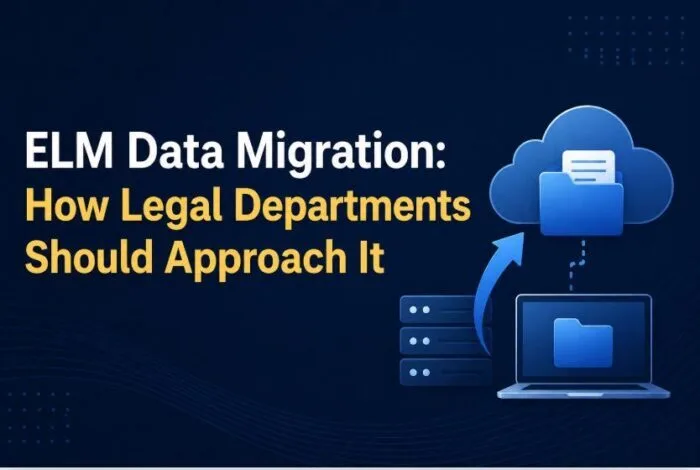

Data migration is the most difficult and critical part of an Enterprise Legal Management (ELM) implementation. It is also the most consistently underestimated. When ELM programs slip their timelines, blow past their budgets, or go live with data that finance and legal operations cannot trust, the root cause is almost always migration. This is not a technical problem as most people assume. It is an organizational problem dressed up as a technical one, and it needs to be treated that way from day one.
This guide lays out how Swiftwater approaches ELM data migration, the principles that govern every engagement, the phases we run, and the lessons 25-plus years of doing this work has taught us.
Why is data migration the hardest part of an ELM implementation?
Data migration is hard because source data is almost always messier than the team believes going in, and because the work is 80 percent organizational and only 20 percent technical. No matter how confident the legal operations and IT teams are in the state of the legacy system, production data often contains duplicates, orphaned records, inconsistent naming conventions, fields that were repurposed over time, and values that no longer match what business users think they mean.
The technical mechanics of extract, transform, and load are well understood. What is hard is getting the right people to make decisions, getting business units to prioritize validation work alongside their day jobs, and maintaining momentum through the inevitable “this doesn’t look right” conversations. Swiftwater led a Global 100 legacy enterprise system migration in which more than half of the critical-path work focused on decision-making, reconciliation, and business validation rather than code.
What is the “Shift Left” philosophy in ELM data migration?
“Shift Left” means pulling data discovery, cleansing, and validation activities as early in the project as possible, because issues are exponentially cheaper to fix before go-live than after. A duplicate vendor record caught during discovery is a spreadsheet row. The same record caught after go-live is a failed invoice submission, a misrouted accrual, and an escalation from an outside counsel whose payment is delayed.
A Shift Left mindset changes how the project is structured. Instead of treating data as a downstream activity that happens after configuration, we treat it as a parallel workstream that starts on day one. Discovery runs before mapping. Mapping runs before build. Business validation runs alongside build rather than after it. Every phase is designed to expose surprises earlier, when they cost the least. This principle is consistent with the DAMA-DMBOK data management framework, which treats data quality as a continuous discipline rather than a project milestone.
Is “migrate everything” a reasonable migration strategy?
No. “Migrate everything” is a trap that inflates timelines, costs, and data quality risk without delivering proportional business value. The older the data gets, the greater the probability it is incomplete, inaccurate, or tied to business processes that no longer exist. Closed matters from eight years ago rarely support current decision-making, and forcing them through transformation logic designed for current data creates noise that contaminates reporting.
Running an ELM or eBilling implementation?
Swiftwater has three Level 4 Onit-certified practitioners. If you are evaluating, implementing, or rescuing an ELM program, let us talk about what that actually takes.
See ELM ServicesEarly in every engagement, we recommend three conversations: what data needs to be live in the new system on day one, what data should be archived in read-only form for reference or compliance, and what data can be discarded. This is not a technical decision. It is a legal, operational, and records-management decision that the business must own. Resolving it early saves enormous effort downstream, and companies that build a cost model using resources like legaltechcalculator.com to evaluate ROI on migration scope almost always conclude that less is more.
Which data entities form the backbone of an ELM migration?
Matters, invoices, vendors, and vendor-to-matter assignments are the four backbone entities, and every other object in the system hangs off them. Get these right first. If practice group, matter type, office, task codes, and client/matter numbering conventions are not clean and validated early, every downstream object inherits the problem.
Timekeeper rates depend on vendors. Invoice line items depend on invoices. Accruals depend on matters. Budgets depend on matters. Documents and invoice PDFs depend on matters and invoices. A clean backbone gives you a clean house. A broken backbone guarantees that every reporting conversation after go-live turns into a data remediation project. For a deeper view on how these entities support downstream cost control, see our guide on legal spend management.
Why is client and vendor master data usually messier than finance thinks?
Because duplicate vendors, merged entities, renamed firms, and missing internal vendor and contract numbers accumulate in ways that finance and accounts payable rarely detect until migration exposes them. Law firms get billed under multiple names and tax identification numbers. Clients get acquired, renamed, or consolidated. Internal vendor numbers go missing or get reassigned. None of this is visible in a production system that accepts whatever values get entered.
Master-data cleansing almost always requires a dedicated workstream that bridges Legal Operations and Finance. Neither function can do it alone. Legal Operations knows which firms are actually being used and how matters map to them. Finance controls the vendor master and the tax identification numbers. The two need to work together, and the project plan has to create the forcing function for that conversation. The LEDES standard for legal billing data provides a useful reference point for vendor and timekeeper structures during this cleansing work.
How should you handle open matters and in-flight invoices during migration?
Open items need a fundamentally different migration strategy than closed historical records. Open matters, unbilled or disputed invoices, active budgets, and in-flight accruals are live objects that people are actively working on. Treating them the same way you treat a matter that closed in 2019 is how you end up with finance teams rebuilding accruals by hand in the first week after go-live.
Open-item migration requires tighter coordination with outside counsel, a clear cutover window for invoice submission, and explicit rules for how disputed invoices move from the legacy state model to the new one. We build this into every project plan as a distinct workstream with its own validation checklist, separate from the historical data migration track.
Who actually owns field mapping decisions?
Field mapping is ultimately a business decision, not a technical one, and the business owners must sign off on every mapping document. Implementation teams can produce the field-to-field mapping spreadsheets. Only the business can confirm what a field meant in the old system, what it should mean in the new one, and whether the transformation logic reflects current operational reality.
Most post-go-live data quality complaints trace back to misaligned assumptions about field meaning. A “Practice Area” field in a legacy system might have been used as a free-text note by one group and as a controlled taxonomy by another. The migration team cannot resolve that. The business has to.
Why is the go-live cutover a business event, not just a technical one?
Because of the blackout window for invoice submission, the communication plan to outside counsel, the AP timing decisions, and the operational impact on legal and finance teams are all business responsibilities that only the business can own. The implementation team can execute the data load. Only the business can manage the operational disruption.
A typical Swiftwater cutover runs Thursday night through Sunday night to minimize business impact. During that window, no new invoices can be submitted, no new matters can be created, and the legacy system is locked in read-only mode. That requires advance notice to every outside counsel firm, coordination with AP on payment cycles, and a stakeholder communication plan that runs for weeks leading up to cutover. If the business treats this as IT’s problem, the cutover will surface issues in the first 48 hours of production that no one is prepared to address.
What roles are required for a successful ELM data migration?
Five roles are non-negotiable: a Data Steward, IT, the Swiftwater Data Migration team, the vendor data migration team, and business Subject Matter Experts. Each has a distinct scope, and skipping or under-resourcing any one of them creates predictable failure patterns.
The Data Steward is usually the system administrator of the legacy solution or someone with deep knowledge of how the data is actually used. They confirm data interpretations, identify inconsistencies, and perform cleanup in the legacy system ahead of migration. They are, as we often say, worth their weight in gold.
Want the review function run for you?
Every outside counsel invoice checked against your guidelines, rates, and matter context, inside the eBilling platform you already own, with the exception handling, vendor coaching, and savings reporting that separate a review program from invoice processing.
See Bill Review ServicesIT owns the extract from the legacy system, whether via API or database backup. While Swiftwater can handle this directly, IT usually has an established relationship with the legacy vendor and can accelerate the request, particularly when the client has already issued a termination notice. In our experience, legacy vendors may require additional coordination and escalation from the departing customer.
The Swiftwater Data Migration team can be the quarterback. They design and build the ETL processes, run the transformations, identify discrepancies for triage, and package the staging tables for handoff.
The vendor data migration team loads the staging tables into the target system and coordinates with the vendor onboarding teams to configure outside counsel access in the relevant portals.
Subject Matter Experts from the business consult on transformation logic, validate migrated data during UAT, and sign off on field mapping decisions.
Why does a SQL staging database approach often make sense for ELM migrations?
Many enterprise ELM platforms do not expose customer-facing APIs or direct mechanisms for bulk import of historical data. The mandated migration mechanism in those cases is a SQL Server staging database. The migration team populates a defined set of staging tables with transformed data, takes a database backup, and hands that backup to the platform vendor’s data migration team, who processes it into the target environment. No data is loaded directly by the client or the implementation partner.
This constraint drives a specific project structure. You build and validate in a staging database you control, run UAT against that staging data, and only hand off once the data has passed validation. It also means the vendor’s timeline for processing the backup must be factored into the cutover plan. The staging-database approach is well understood across the implementation partner community and is the standard path for most enterprise ELM, matter management, and eBilling implementations.
What are the phases of the Swiftwater data migration process?
The process runs across five phases (Initiation, Requirements, Design/Build, UAT, and Release) using a two-pass strategy: an early “Alpha” load for testing and validation, followed by a “Delta” load of final changes close to go-live. This minimizes risk and ensures production receives clean, validated data.
Initiation. We obtain an initial copy of legacy data and documents along with supporting documentation. The Swiftwater team reviews this immediately so that confirmations and supplemental requests happen early. When legacy documentation is incomplete or the legacy vendor refuses to provide it, Swiftwater reverse-engineers the data structures. Finding surprises early is the whole point.
Requirements. This phase confirms the scope of data to be migrated (typically date-bounded, for example, all open matters plus matters closed within the last five years) and finalizes entity and field mappings. Taxonomy mapping, validation rules, and state/country/matter-type normalizations all happen here. New fields added to the target platform configuration after requirements sign-off are subject to change control.
Design/Build. Because the mechanics of populating staging tables are well-defined and much of the code is reused across engagements, design and build are collapsed into a single iterative phase. Backbone entities (matter, invoice, vendor, vendor-to-matter assignment) are built first, followed by dependent entities (custom fields, invoice line items, timekeepers and rates, documents, and invoice PDFs). We run two-week sprints with data reviews at the end of each, with feedback from the Data Steward and SMEs folded directly into the next sprint.
User Acceptance Testing. Once forms, workflows, permissions, and migrated data are loaded into the test environment, UAT begins. Any issues are corrected and UAT is re-run until the data passes.
Release. Once UAT passes, the Alpha data is loaded into the production environment. A Go/No-Go decision is made. If Go, the blackout window begins (typically an extended long weekend from Thursday night through Sunday night). A Delta backup captures everything that changed in the legacy system since the Alpha load and is processed into production. Validation runs against core functionality, and a final release Go/No-Go is made. A hypercare period of elevated support follows, with any remaining issues triaged and resolved as they surface.
What is the difference between the “Alpha” and “Delta” data loads?
The Alpha load is the full historical migration that powers UAT and gets validated into production weeks before go-live. The Delta load captures only the changes that occurred in the legacy system between Alpha and cutover, and is processed during the blackout window. This two-pass approach is what makes large ELM migrations survivable.
Trying to migrate everything in a single pass during the cutover weekend is how projects fail. The validation window is too short, the surface area for new issues is too large, and there is no way to course-correct if something breaks at 2 a.m. on Saturday. Alpha-then-Delta gives you weeks of validation against production-quality data, followed by a narrow, well-understood set of incremental changes to implement during cutover. For more on how this connects to broader ELM implementation discipline, see our implementation guide.
What legacy systems has Swiftwater migrated from?
Swiftwater has delivered ELM and adjacent data migrations from more than 15 legacy platforms over 25+ years of combined practitioner experience. That list includes:
Is your legal spend data telling you the full story?
We help legal departments build the analytics, rate governance, and reporting infrastructure to move from invoice processing to strategic spend management.
See Legal Spend Services
- Thomson Reuters Legal Tracker
- Wolters Kluwer TyMetrix T360
- Onit SimpleLegal
- Onit ELM
- Bridgeway ELM
- Corprasoft CLD
- LexisNexis CounselLink
- Anaqua
- Salesforce
- Oracle
- Memotech
- MaxVal Symphony
- SharePoint
- iManage
- Worldox
- Ariba
- Custom-built solutions
This breadth matters because legacy platforms behave differently. Legal Tracker’s data model is not TyMetrix’s, which is not CounselLink’s. Reverse-engineering, field semantics normalization, and taxonomy reconciliation all play out differently depending on the source. Having done it this many times across this many platforms is why our projects do not spend the first eight weeks relearning what a matter record actually contains. Practitioners who follow industry guidance from groups like the Corporate Legal Operations Consortium (CLOC) will recognize the same structural challenges across every legacy system on this list.
What makes Swiftwater’s approach different?
Three things: a Shift Left bias that pulls risk forward, senior practitioners who have lived through the migrations you are about to run, and a PMO discipline that treats the business side of migration as a first-class workstream. We acknowledge complexity. We empower SMEs. We demand transparency into the source system’s schema and dictionary, and we plan for contingencies when that transparency is unavailable.
We also build contingency time into every plan. Data cleanup iterations take longer than anyone wants to admit. Reconciliation with upstream HR and AP systems surfaces surprises. External security and regulatory requirements add friction. A project plan that does not budget for these realities will slip.
The Bottom Line
ELM data migration is 80 percent organizational, 20 percent technical. Source data is messier than the team believes. “Migrate everything” inflates cost without adding value. Matters, invoices, vendors, and vendor-to-matter assignments are the backbone, and everything downstream depends on getting them right. Master data cleansing needs Legal Operations and Finance working together. Open items need a different migration strategy than closed records. Field mapping is a business decision. Go-live is a business event. The staging-database approach is the standard path for most enterprise platforms. And the Alpha/Delta two-pass strategy is the difference between a cutover that works and one that never ends.
Legal departments evaluating the cost and ROI of an ELM migration should model the full picture, including the organizational effort required for decision-making, validation, and change management. Tools like legaltechcalculator.com help frame that conversation in financial terms the CFO will recognize. Linking a clean migration to downstream legal spend visibility is also where the business case starts to stand on its own.
Done right, an ELM migration delivers clean, validated data the business can trust from day one, and a platform that earns its place as the system of record for every legal operations decision that follows.
If you are planning an ELM migration and want to pressure-test your approach with practitioners who have led these programs at scale, explore Swiftwater’s Legal Technology Solutions and Enterprise Legal Management hub for additional resources.
This article is provided for educational and informational purposes only. Neither Swiftwater and Company nor the author provides legal advice. This content does not constitute professional legal, financial, or operational advice and should not be relied upon as such. Readers are encouraged to consult a qualified professional before making decisions based on the information provided. External links are included for reference only and reflect the views of their respective authors. Swiftwater and Company takes no responsibility for third-party content.